Autofocus
This guide explains the Image-based and Hardware-based autofocus.
Image-based Autofocus
In the right column of the Live View App in ImSwitch, which has the Stage Control section, scroll down to the Autofocus section. The default parameters are shown in below picture. Range Z = 100 will make a sweep of +/-50um with respect to the Current Z: 4501.56-position displayed above the Start Autofocus button. Resolution Z = 10 will make the algorithm take an image in steps of 10um, which would equal 11 images with the settings displayed and find the one with the best focus.
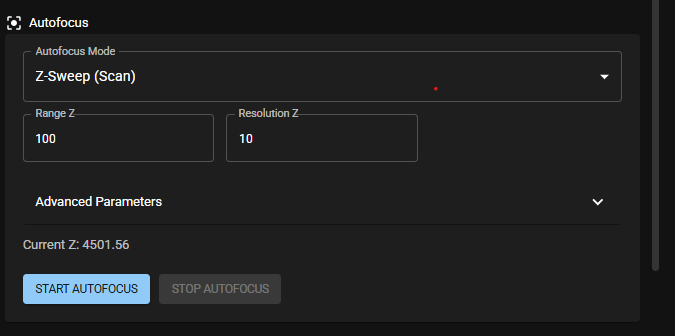
Click the button Start Autofocus and the algorithm will start running. When it is done it will display a new Current Z value and State finished. In addition, the Show Plot button will become available. Click on it and it will display a plot of the (image) Contrast value vs focus position.
As a rule of thumb:
- in a first step select a wider Range Z, e.g. 200-300um and leave the Resolution Z at 10.
- in a second step select a more narrow Range Z, e.g. 50-100um and change the Resolution Z to a smaller value, e.g. 2-5um.
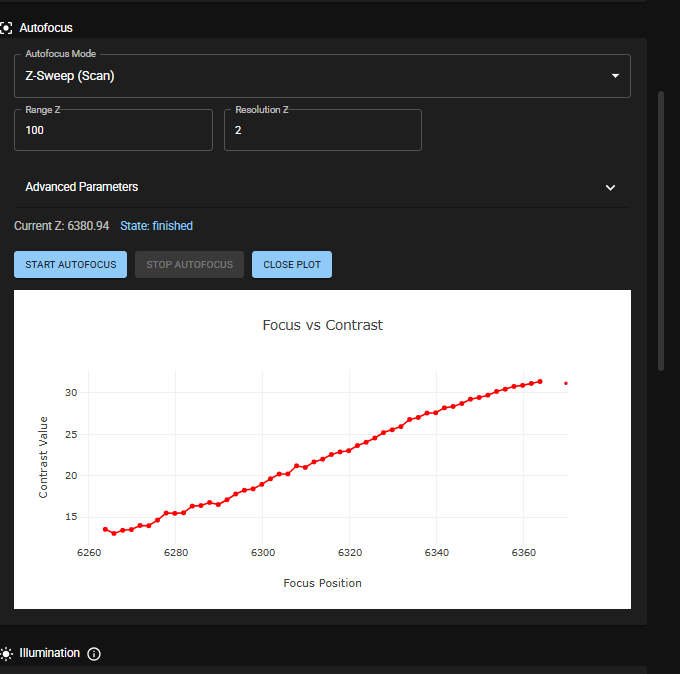
Important The plot allows you to see whether your Range Z is properly centered. In the below picture you can see that the Range Z is not yet properly centered, so that another run with a more centered Range Z is required to find the optimum focal position.
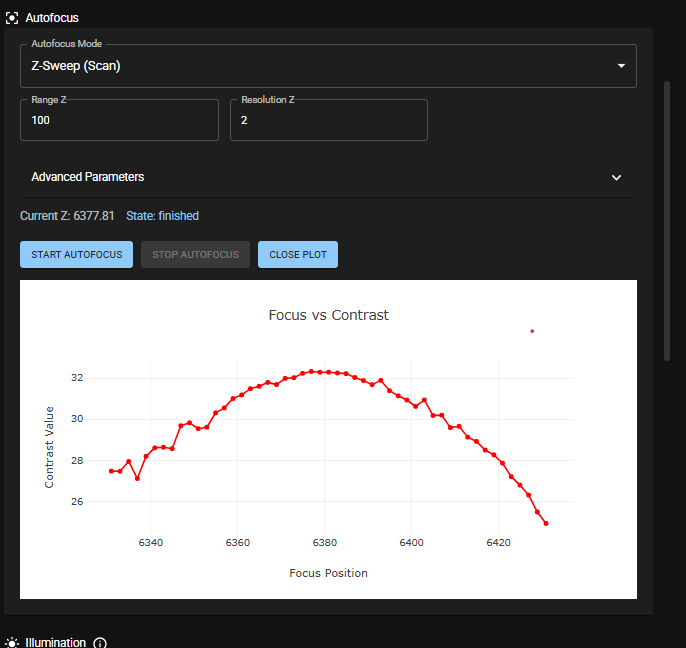
A well-centered Range Z looks similar to the below picture.
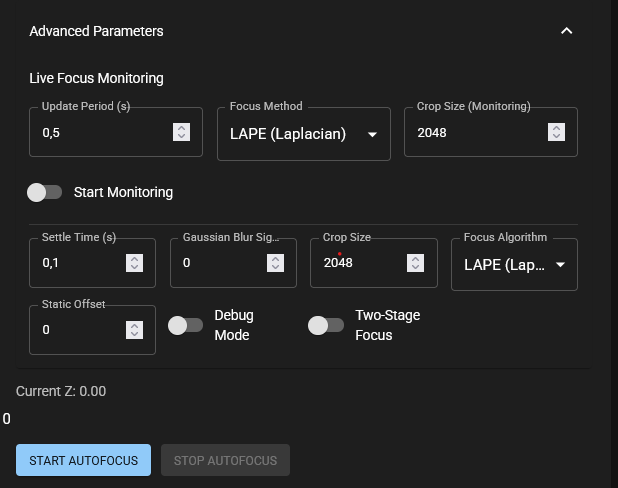
To access more advanced autofocus parameters click on the dropdown menu Advanced parameters.
Hardware-based Autofocus
Available soon.